Organisation
The Organisation page is where you view and manage your organisation's identity in Zentre AI. It is split into two sub-tabs: General, which shows your organization's core details, and Preferences, where you configure workspace-wide defaults.
Sub-tabs
General
Your organization's name, ID, slug, and membership date.
Preferences
Workspace-wide defaults for your organization.
General
The General tab presents your organization's identity. These details are managed by Zentre AI and are read-only here.
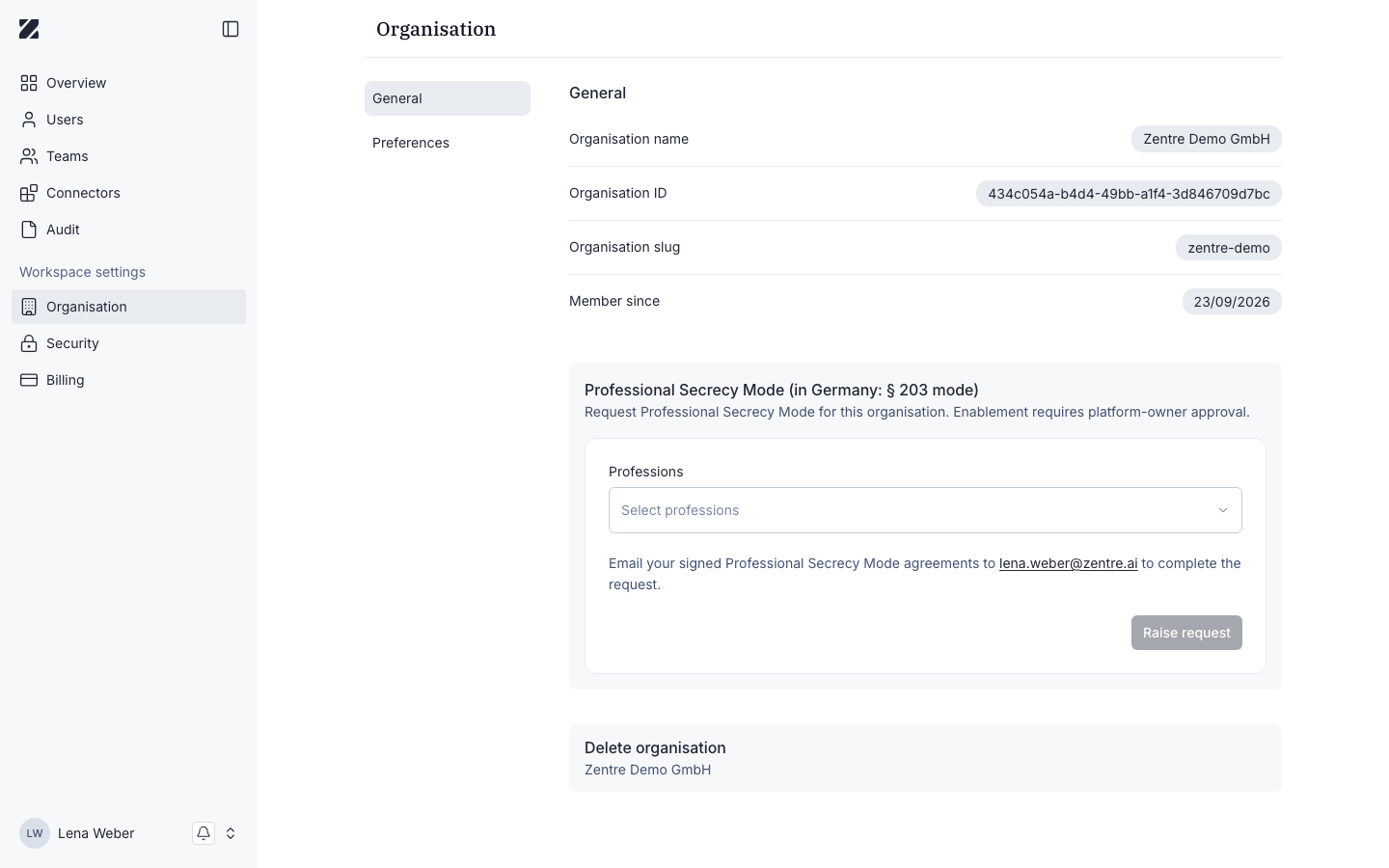
Field reference
| Field | Required | Editable | Notes |
|---|---|---|---|
| Organisation name | Required | No | The display name of your organisation. |
| Organisation ID | Required | No | The unique identifier assigned to your organisation. |
| Organisation slug | Required | No | The short, URL-friendly handle for your organisation. |
| Member since | Required | No | The date your organization joined Zentre AI. |
Deleting your organization
The General tab includes a Delete organization area. Deleting an organization is a sensitive action and cannot be performed from this page.
To delete your organization, contact Zentre AI support. This action is permanent and removes all associated data.
Permissions & roles
- Audience
- Administrators
- Applies to
- Workspace administration
Only Super Admins can open the Organisation page; Admins cannot. The identity fields on the General tab are read-only, and deletion requests are handled by Zentre AI support.
See Roles and permissions for every role at a glance.
Related
Was this page helpful?