Audit log
The Audit log records workspace activity for compliance. Use it to see who did what, when, and where, and to export the record for review.
The audit table
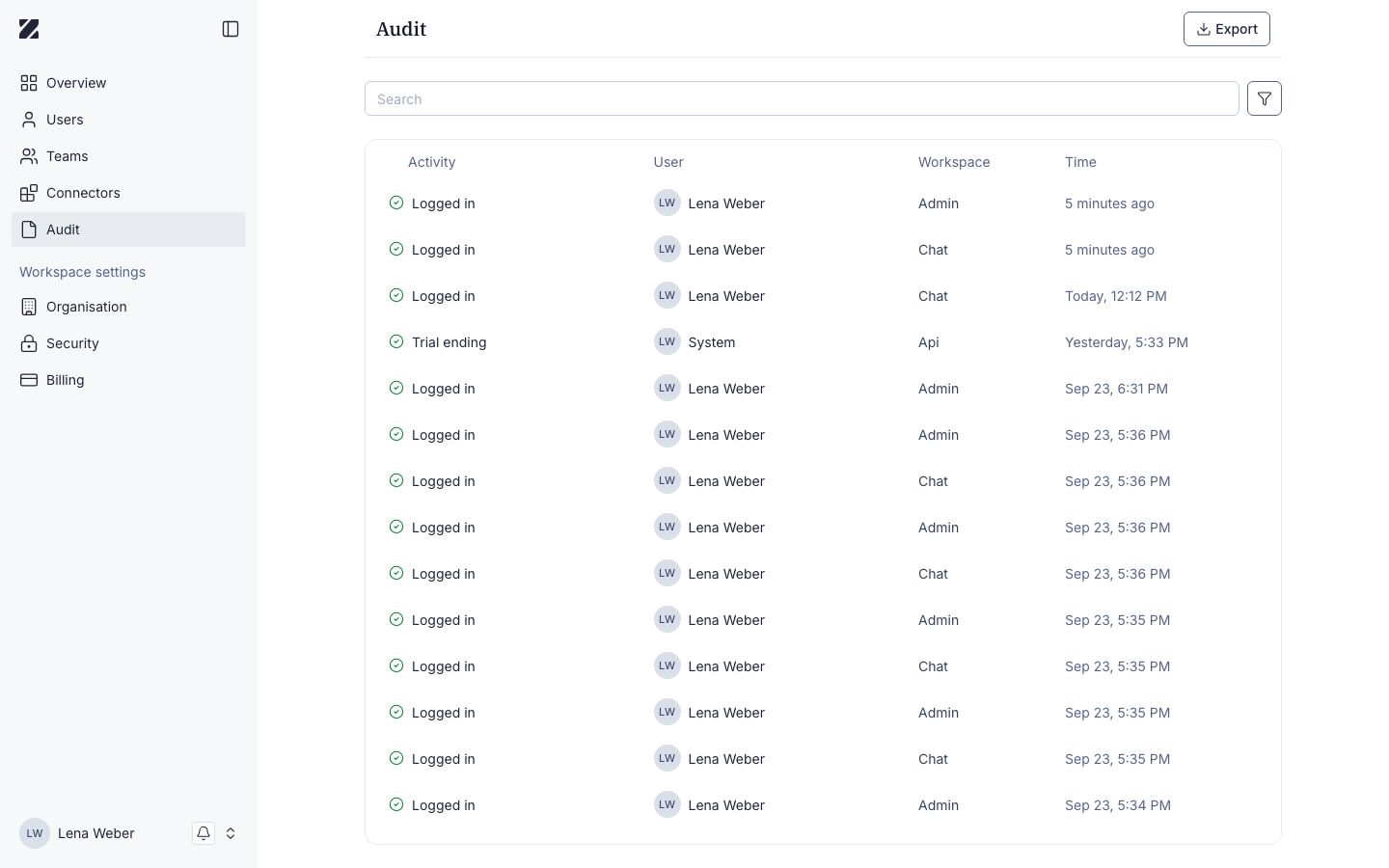
The page header reads Audit. A search box filters entries, and Export downloads the record.
The table shows four columns:
Activity
The action that took place.
User
The person who performed the action.
Workspace
Where it came from — Admin, Chat, Api, or System.
Time
When the action occurred.
The Workspace column
The Workspace column shows where each action came from. It has four possible values:
- Admin — actions in the Enterprise Platform.
- Chat — actions in the chat app.
- Api — actions recorded through the API.
- System — events recorded by the platform itself.
Use it to tell administrative changes apart from end-user activity.
Activity types
You will see entries such as:
- User sign-in — a user signed in.
- User sign-out — a user signed out.
- Member added — a member was added to the workspace.
- Team created — a team was created.
- Connector access granted — access to a connector was granted.
- Connector access revoked — access to a connector was revoked.
Filtering
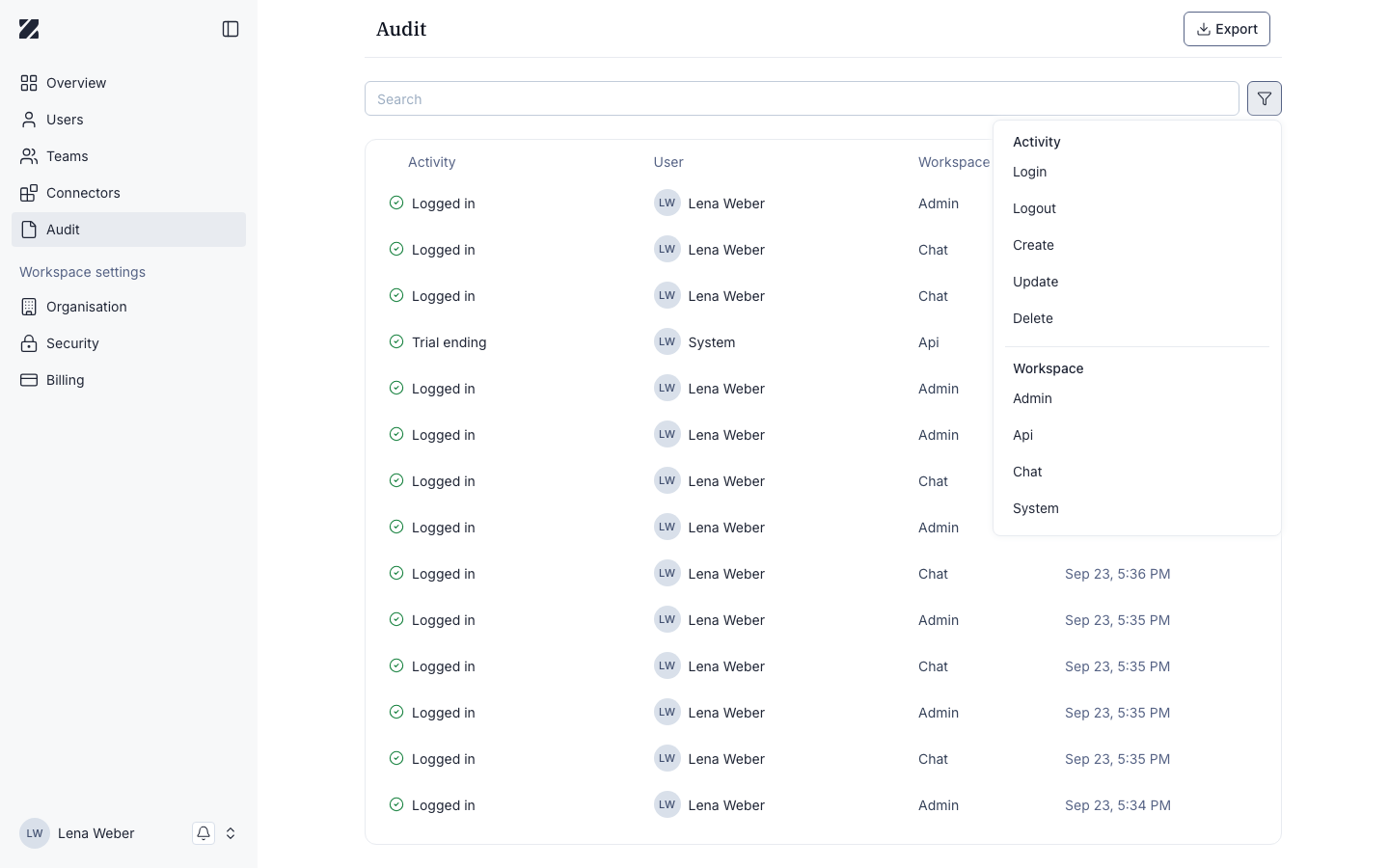
The filter icon next to the search box opens a panel with:
- Activity — filter by Login, Logout, Create, Update, or Delete.
- Workspace — filter by Admin, Api, Chat, or System.
Entry detail
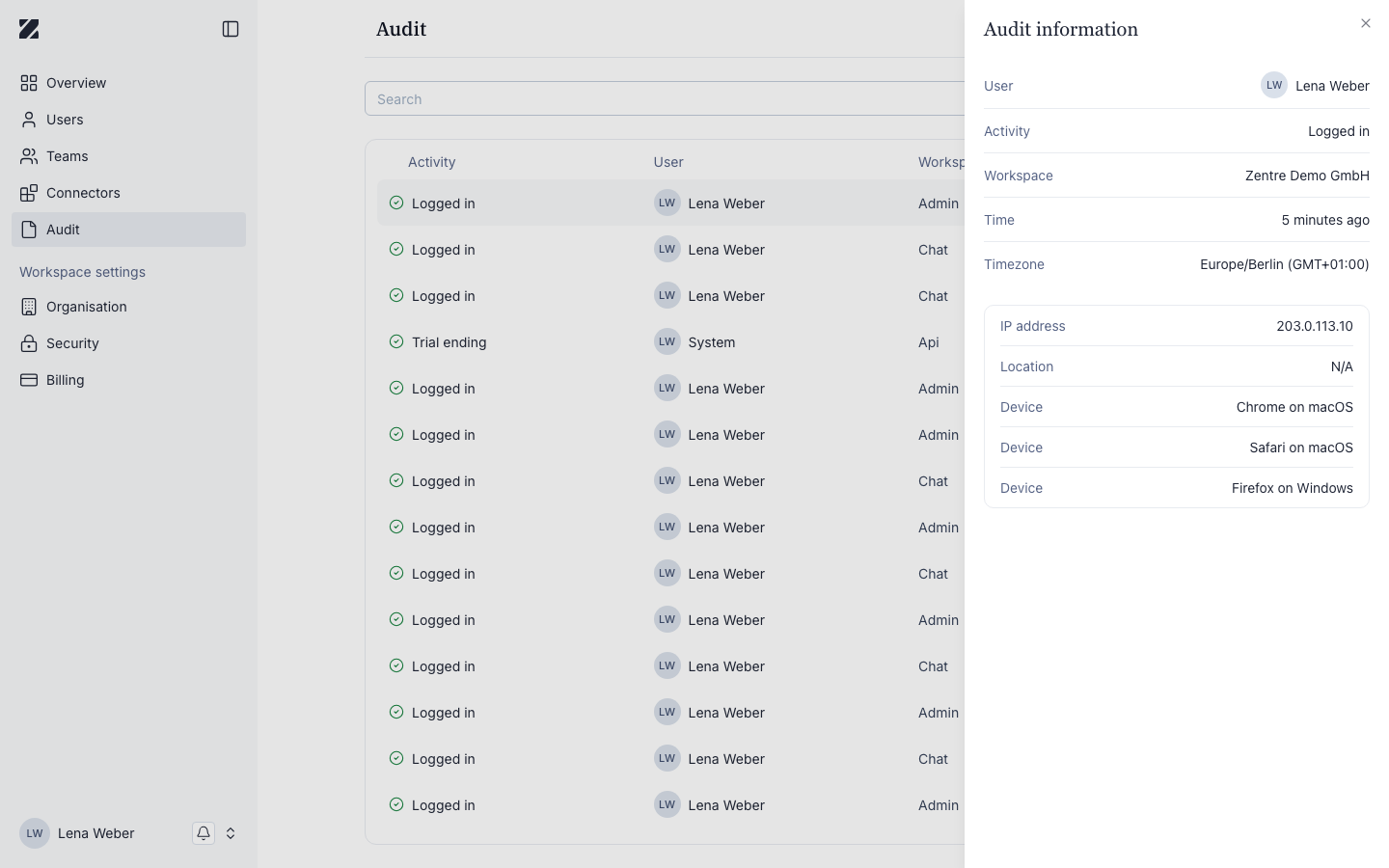
Select an entry's row to open an Audit information panel with User, Activity, Workspace, Time, and Timezone, plus IP address, Location, and one or more Device entries for the session that performed the action.
Exporting the log
To download the audit record, select Export in the page header. The export reflects the entries shown in the table.
Related
Was this page helpful?