Admin overview
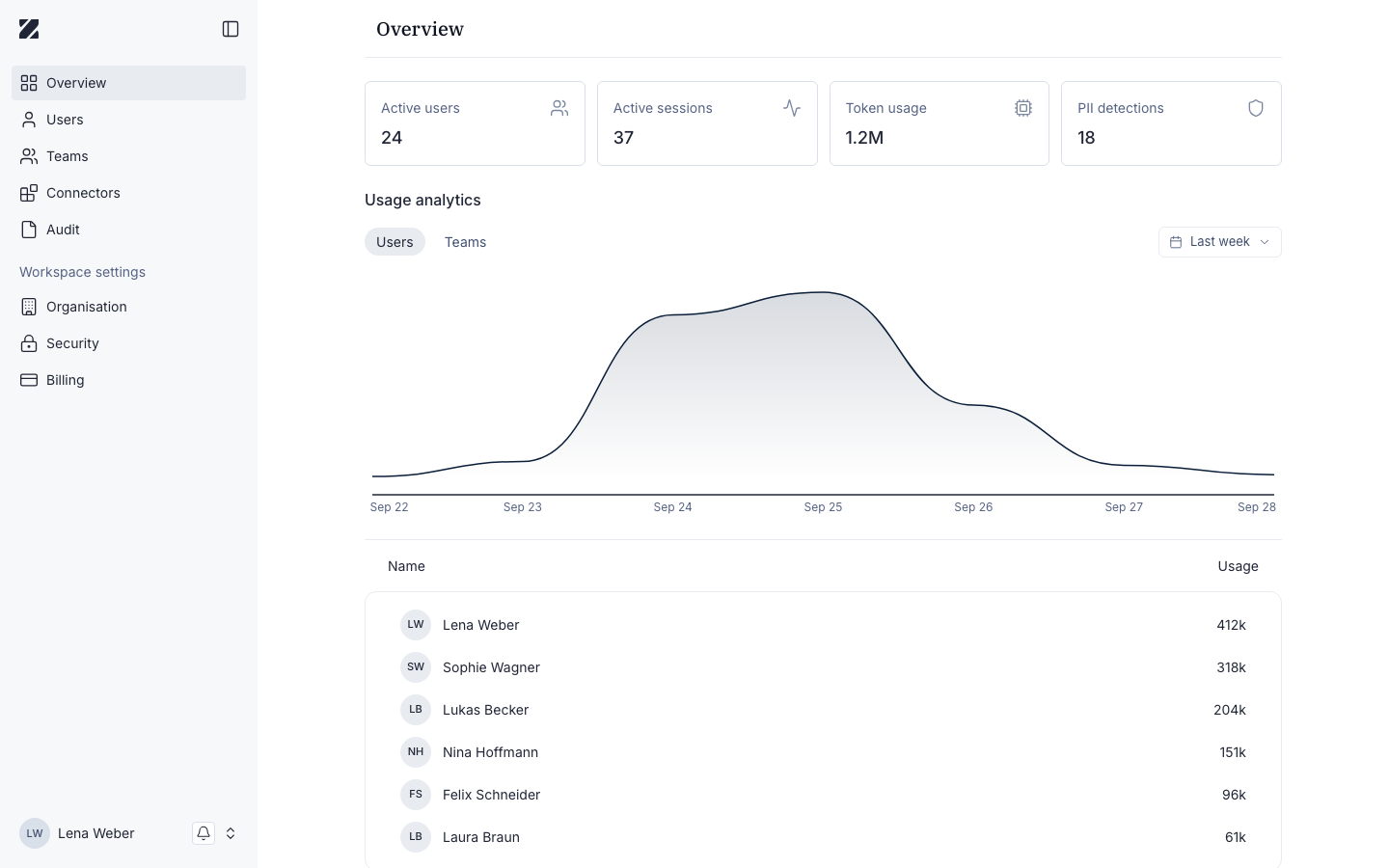
The admin console — branded Enterprise Platform — is where administrators manage people, connectors, and workspace settings. To reach it, open Manage Workspace from the chat app. The Overview is the landing page: it summarizes the health of your workspace and links to every administration area.
Key metrics
The top of the Overview shows four KPIs for your workspace.
Active users
The number of users currently active in the workspace.
Active sessions
The number of sessions running right now.
Token usage
Total model tokens consumed across the workspace.
PII detections
Personal data flagged by detection.
Usage analytics
Below the KPIs, Usage analytics charts consumption over time. Use the User / Team toggle to switch the breakdown between individual users and teams, and set a time range to focus on the period you care about.
- Open Usage analytics on the Overview.
- Use the User / Team toggle to choose the breakdown.
- Set the time range to adjust the reporting period.
Where to go next
Users
Invite people and assign roles.
Teams
Group users and control model access.
Connectors
Manage data sources and integrations.
Audit
Review workspace activity for compliance.
Organisation
Configure workspace-wide settings.
Security
Manage access and protection controls.
Billing
View plan and usage charges.
Related
Was this page helpful?