Profile
Your Profile page is where you review your account identity in Zentre AI — your picture, name, sign-in email, role, and organization — and where you can clear your chat history. To open it, select Settings from the account menu; Profile is the first tab.
What you can do here
Set your picture
Add or update the avatar shown across the workspace.
Edit your name
Change the display name teammates see.
Delete all chats
Remove every conversation in your account.
Accessing Profile
- In the main workspace, open Settings from the account menu (bottom left).
- Select the Profile tab. It opens first by default.
- Review or update your details, then click Save.
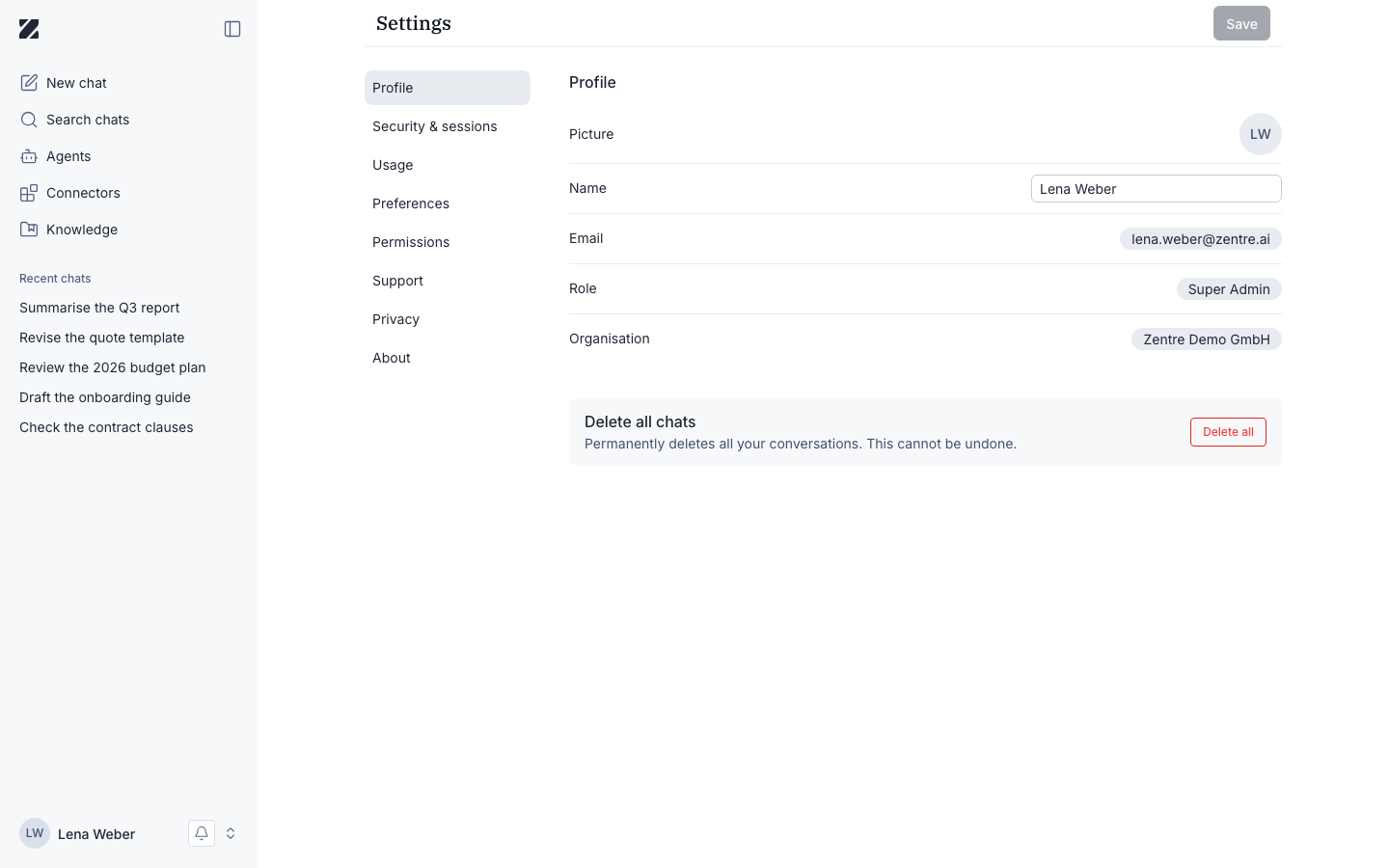
Editing your details
Picture — select the avatar to upload a new image. Name — edit the field, then click Save to apply. The Save button stays inactive until you change something.
Email, Role, and Organisation are read-only here. Your email is your sign-in identity, and your role and organization are set by your workspace administrator.
Field reference
| Field | Required | Editable | Notes |
|---|---|---|---|
| Picture | Optional | Yes | Avatar shown across the workspace. Labeled "Picture" in the app. |
| Name | Optional | Yes | Your display name. Click Save to apply changes. |
| Required | No | Your sign-in address. Read-only on this page. | |
| Role | Required | No | Set by your workspace administrator (e.g. Super Admin, Member). |
| Organisation | Required | No | The workspace your account belongs to. |
Delete all chats
The Profile page includes a destructive action that clears your entire conversation history.
Delete all chats deletes all of your conversations. Export anything you need before continuing.
To use it, scroll to Delete all chats and select Delete all.
Permissions & roles
- Audience
- All users
- Applies to
- Your own account only
Everyone can view and edit their own Profile. Email, Role, and Organisation are managed by your workspace administrator and are read-only here. Delete all chats affects only your own account.
Frequently asked questions
Why can't I change my email?
Your email is your sign-in identity and is managed at the workspace level. Contact your administrator to update it.
Who can see my name and picture?
Other members of your organization see them on shared chats, agents, and activity.
How do I change my role?
Roles are assigned by a workspace administrator. Reach out to them to request a change.
Related
Was this page helpful?